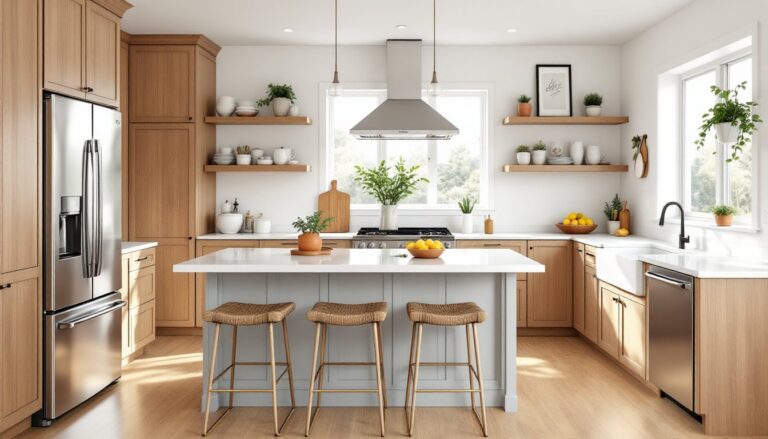
Planning a kitchen remodel used to mean sketching on graph paper, hoping your measurements were right, and crossing your fingers that the finished layout wouldn’t leave you banging your hip on the dishwasher every morning. Digital kitchen design tools have changed all that. Whether you’re gut-renovating a 1970s galley or just rearranging cabinets and appliances in a rental, the right software lets you visualize layouts, test traffic flow, swap finishes, and spot problems before you buy a single sheet of plywood or call a contractor. This guide walks through the best free and premium tools available in 2026, what each does well, and how to pick the one that fits your project and skill level.
Table of Contents
ToggleKey Takeaways
- Kitchen design tools enable homeowners to visualize layouts, test traffic flow, and identify problems before investing $25,000–$60,000 in a major renovation.
- Free options like IKEA Kitchen Planner, RoomSketcher, and SketchUp Free let you test different layouts and finishes with no financial commitment, making early-stage planning accessible to all skill levels.
- Premium kitchen design tools like Chief Architect and 2020 Design generate construction documents and photorealistic renderings essential for structural changes, custom cabinetry, and contractor communication.
- Choose your kitchen design tool based on project scope: free tools work for cosmetic updates, while premium or professional options are worth the investment for wall moves, electrical work, or detailed presentations.
- Digital design output should include dimensioned PDFs and DWG exports for contractor handoffs, and always verify permit and code compliance with licensed professionals for electrical, plumbing, and structural changes.
Why Use Digital Kitchen Design Tools?
A kitchen remodel is expensive and disruptive. The national average for a major kitchen renovation runs between $25,000 and $60,000, depending on region, materials, and labor rates. Making a mistake, like ordering cabinets that block a window or leaving too little clearance around the range, can cost thousands to fix.
Digital design tools let homeowners test layouts virtually before committing. They provide accurate 3D renderings that show sightlines, lighting, and how finishes work together. Most software includes libraries of real products (appliances, cabinets, countertops) with actual dimensions, so users can confirm a 36-inch refrigerator will fit in the planned alcove or that there’s enough room for a 42-inch minimum clearance between the island and perimeter counters, per common ergonomic guidelines.
These tools also help communicate with contractors and tradespeople. A detailed 3D plan or dimensioned floor layout reduces guesswork and keeps everyone on the same page. For DIYers tackling cabinet installation or layout changes themselves, design software becomes a cut list generator, a materials estimator, and a sanity check rolled into one.
Finally, experimenting digitally is free. Homeowners can try five different backsplash tiles, swap wood tones, or move the sink without buying materials or undoing work. That freedom to iterate leads to better, more confident decisions.
Best Free Kitchen Design Software for Homeowners
IKEA Kitchen Planner
IKEA’s browser-based planner is purpose-built for homeowners planning to buy IKEA cabinetry. It’s simple, fast, and generates a shopping list with part numbers and pricing.
Users start by entering room dimensions, length, width, ceiling height, then drag and drop cabinets, appliances, and accessories from IKEA’s catalog. The tool enforces real-world constraints: it won’t let you place a wall cabinet over a range without leaving code-required clearance, and it flags errors if units don’t fit.
The planner outputs a 3D walkthrough, a top-down floor plan, and a detailed parts list. Homeowners can save designs, share them with partners, or bring them into an IKEA store for consultation. The catch is obvious: it only works with IKEA products. If you want custom cabinetry, non-IKEA appliances, or unique dimensions, you’ll need another tool. But for budget-conscious DIYers, it’s hard to beat for speed and integration.
RoomSketcher and SketchUp Free
RoomSketcher offers a free tier that’s excellent for basic floor plans and furniture placement. It’s browser-based, beginner-friendly, and includes a library of standard kitchen elements: cabinets, islands, sinks, and appliances. Users can create 2D and 3D views, test different layouts, and export snapshots. The free version limits exports and watermarks images, but it’s enough for planning and early-stage decision-making. Upgrading unlocks high-res renders and more detailed product libraries.
SketchUp Free (the web version) is more powerful but has a steeper learning curve. It’s a general-purpose 3D modeling tool, not kitchen-specific, so users need to build or download component models (cabinets, appliances) from the 3D Warehouse, SketchUp’s community library. This flexibility is a double-edged sword: experienced DIYers and hobbyist designers love the control, but first-timers often find it overwhelming. SketchUp Free is ideal if you’re comfortable with measuring tools in workshops, reading plans, and thinking in three dimensions. It’s also useful if your kitchen has non-standard features, angled walls, vaulted ceilings, or a pass-through to the dining room, that off-the-shelf planners struggle to handle.
Both tools are genuinely free, with no trial limits or forced upgrades for core functionality.
Premium Kitchen Design Tools Worth the Investment
When a project involves structural changes, custom cabinetry, or a detailed presentation for contractors, premium software delivers capabilities free tools can’t match.
Chief Architect is the gold standard for serious remodelers and design-build pros. It handles full home design, including plumbing, electrical, and framing, and generates construction documents that meet International Residential Code (IRC) standards. For kitchens, it includes parametric cabinets (adjustable dimensions), real-world lighting simulation, and material takeoffs. The learning curve is steep, and pricing starts around $3,000 for the home designer version, but it’s overkill unless you’re planning multiple projects or working with an architect.
2020 Design and ProKitchen are industry tools used by kitchen and bath dealers. Both offer photorealistic rendering, extensive manufacturer catalogs (think specific cabinet lines from Kraftmaid, Merillat, or custom builders), and detailed pricing modules. They’re subscription-based, typically $50–$150/month, and best suited for homeowners working closely with a designer or those who want showroom-quality visuals to guide high-end renovations.
HomeByMe sits in the middle: easier than Chief Architect, more robust than RoomSketcher. It’s a freemium model, with a paid tier (around $10/month) unlocking unlimited projects, HD exports, and advanced customization. It’s a solid pick for a single major remodel where you want polish without a professional budget.
For homeowners planning significant electrical or plumbing reroutes, premium tools help identify load-bearing walls, joist direction, and where utilities run, critical info that prevents costly surprises mid-demo. Always confirm structural work with a licensed contractor or engineer, even if the software says it’s possible.
How to Choose the Right Kitchen Design Tool for Your Project
Start by defining scope and budget. If you’re replacing countertops and repainting cabinets, a free tool like RoomSketcher or even IKEA’s planner (to test layouts) will do. If you’re moving walls, adding windows, or installing new electrical service for a range or hood, premium software, or hiring a designer, becomes worth it.
Consider your comfort with technology. IKEA Kitchen Planner and RoomSketcher assume no prior CAD experience. SketchUp Free and Chief Architect reward users who invest time learning the interface. If you’ve used workshop tools and can read a tape measure and a level, you’ll adapt faster, but don’t underestimate the time required.
Think about product integration. If you’re committed to IKEA or another system with proprietary software, use their tool, it’ll save headaches and ensure compatibility. For custom or mix-and-match builds, choose software with broad manufacturer libraries or flexible modeling, like SketchUp or HomeByMe. Reviewing kitchen layouts from design galleries can also inform your planning before you start building in software.
Check output and sharing options. Will you hand a plan to a contractor? Make sure the tool exports dimensioned PDFs or DWG files. Sharing with a spouse or co-owner? Cloud-based tools with collaboration features (RoomSketcher, HomeByMe) work better than desktop-only software.
Finally, be honest about permit and code requirements. Most jurisdictions require permits for structural changes, new electrical circuits (like adding a 240V line for an electric range), gas line work, or plumbing reroutes. Design software doesn’t replace a licensed electrician or plumber, and it won’t guarantee code compliance. Use it to plan and visualize, then bring in the pros for anything that touches framing, utilities, or safety systems.
Browsing kitchen design galleries alongside your digital planning helps identify trends, finishes, and layout ideas that you can model and adapt. Many homeowners also find inspiration from sites like The Kitchn, which offer real-world examples of small-space solutions and organization strategies.
Conclusion
Digital kitchen design tools have made professional-grade planning accessible to DIYers and homeowners. Whether using a free planner to test an IKEA layout or investing in premium software for a full remodel, the key is matching the tool to the project scope, skill level, and budget. Measure twice, model once, and don’t skip the permit check.