Planning a kitchen remodel used to mean paying a designer hundreds of dollars just to see what your space could look like. Not anymore. Free kitchen design software has leveled the playing field, giving homeowners the power to visualize layouts, test cabinet configurations, and experiment with finishes before spending a dime on materials. These tools won’t replace a licensed contractor for structural changes or plumbing relocations, but they’ll help you make smarter decisions, avoid costly mistakes, and communicate your vision clearly to the pros you do hire.
Table of Contents
ToggleKey Takeaways
- Free kitchen design tools eliminate guesswork by helping you visualize layouts, test cabinet configurations, and check clearances before spending money on materials.
- Browser-based platforms like IKEA Kitchen Planner, Planner 5D, and RoomSketcher offer quick, user-friendly options, while SketchUp and Sweet Home 3D provide advanced control for complex remodels.
- Accurate measurements and respecting design standards—like the 42 to 48-inch clearance guidelines from the National Kitchen & Bath Association—prevent costly mistakes and ensure functional workflows.
- Free kitchen design software helps you communicate your vision clearly to contractors with detailed floor plans and specifications, which can speed up the bidding process and adjust cost estimates.
- Order physical samples of countertops, backsplash, and cabinet finishes and test them in your actual lighting conditions before committing to final selections.
- Choose a design tool based on your project scope and tech comfort level; simple cabinet refreshes work with basic tools, while structural changes require more robust platforms.
Why Use Free Kitchen Design Software?
The biggest advantage is eliminating guesswork. A free design tool lets you map out actual dimensions, check clearances between islands and cabinets, and see whether that 36-inch range you’ve been eyeing will leave enough space for the dishwasher. This matters because most kitchen mistakes, like ordering cabinets that block a window or choosing a layout that creates traffic jams, happen during the planning phase, not the build.
Cost control is another win. When you can preview countertop materials, backsplash patterns, and cabinet styles in a virtual space, you’re less likely to make impulse purchases or change your mind mid-project. Material returns and restocking fees add up fast, especially for custom-order items like quartz slabs or specialty tile.
These platforms also help with contractor conversations. Walking into a meeting with a detailed floor plan, appliance specs, and finish selections shows you’ve done your assignments. Many contractors will adjust their estimates based on how prepared a homeowner is, and a solid design file can speed up the bidding process.
Finally, free tools give you flexibility to test ideas over time. You’re not locked into a designer’s schedule or paying hourly fees to explore different configurations. Want to see if a galley layout works better than an L-shape? Swap them out in five minutes. Curious whether white cabinets or navy blue fit your style? Click and compare.
Top Free Kitchen Design Tools for Homeowners
Browser-Based Design Platforms
Browser-based tools require no downloads and work on any device with an internet connection. IKEA Kitchen Planner remains one of the most popular options because it’s tied to real products with known dimensions and pricing. The interface is straightforward: you input room measurements, drag and drop cabinets, and the software calculates the total cost. It’s built around IKEA’s modular system, so if you’re planning a budget-friendly remodel using their SEKTION line, this is your fastest route to a buildable plan.
Limitation: you’re locked into IKEA’s cabinet sizes and finishes. Custom or semi-custom cabinetry won’t fit the system.
Planner 5D offers more flexibility. It’s a freemium platform, the basic version is free, but premium textures and advanced rendering cost extra. You can design in 2D or switch to 3D view to walk through your space. It includes a broad library of appliances, fixtures, and furniture from multiple brands, plus the ability to import custom dimensions. The learning curve is steeper than IKEA’s tool, but the trade-off is creative freedom.
RoomSketcher works similarly, with a drag-and-drop interface and real-time 3D rendering. The free tier limits the number of projects you can save and the resolution of exported images, but it’s enough to mock up a single kitchen and generate a usable floor plan. It’s particularly good for visualizing traffic flow and testing whether a work triangle (sink, stove, refrigerator) layout fits your space.
Downloadable Software Options
SketchUp Free (formerly SketchUp Make) is a web-based version of the professional 3D modeling software. It’s powerful but demands a time investment to learn. The upside is precision: you can model to the exact nominal lumber dimensions (a 2×4 is actually 1.5″ × 3.5″), account for wall thickness, and design custom cabinetry. The 3D Warehouse library includes thousands of user-uploaded kitchen components, from faucets to range hoods.
Best for: DIYers who want granular control and don’t mind watching tutorials.
Sweet Home 3D is an open-source option that runs on Windows, Mac, and Linux. It’s less polished than commercial platforms, but it’s genuinely free with no upsells. The interface is split-screen: 2D floor plan on one side, 3D view on the other. You can import custom textures (helpful if you’ve already picked out tile or countertop samples) and export walkthroughs as video files. The furniture library is smaller, so expect to supplement with manual measurements for appliances.
How to Choose the Right Design Tool for Your Project
Start by defining your project scope. A simple cabinet refresh doesn’t need the same tool as a full gut remodel with relocated plumbing and electrical. If you’re keeping the existing layout and swapping finishes, a basic browser tool like IKEA Kitchen Planner or Planner 5D will do the job. If you’re moving walls, adding windows, or changing the footprint, you’ll want something more robust like SketchUp that lets you account for framing, load-bearing walls, and code-compliant clearances.
Consider your tech comfort level. Some platforms assume you understand basic architectural concepts like scale, elevation views, and material layers. Others hold your hand with pre-built templates and step-by-step wizards. If you’ve never designed anything beyond a sketch on graph paper, start with a user-friendly option and upgrade later if needed.
Check whether the tool integrates with your buying plan. Many professional platforms connect design inspiration from homify and other sites, but if you’re shopping at a specific retailer, Home Depot, Lowe’s, IKEA, look for tools that pull from their inventories. This prevents the frustration of designing around a 30-inch sink base only to discover your preferred store only stocks 33-inch and 36-inch models.
Pay attention to export options. Can you download a PDF floor plan with measurements? Generate a materials list? Export a 3D walkthrough to share with a contractor? Free tools often limit these features, but even a low-resolution screenshot with dimensions is better than nothing. If you’re planning to pull permits for structural work, you’ll eventually need dimensioned drawings that meet International Residential Code (IRC) standards, most free tools won’t produce permit-ready plans, but they’ll help you communicate your ideas to the architect or designer who will.
Tips for Creating a Stunning Kitchen Design
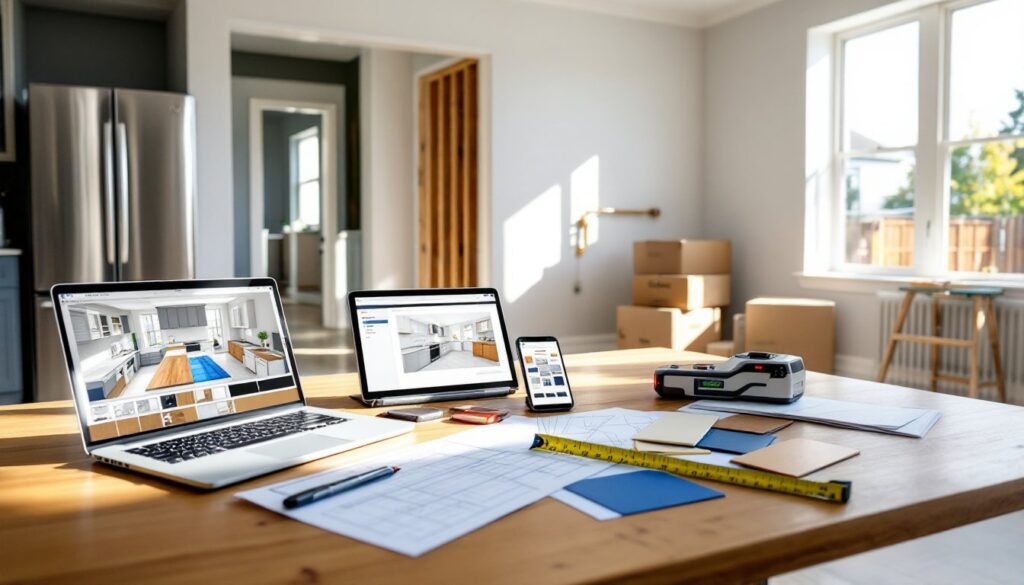
Measure everything twice before you start designing. Use a laser measuring tool (more accurate than a tape measure, especially for long runs) and record the location of windows, doors, outlets, switches, and plumbing stubs. Note the ceiling height, standard is 8 feet, but many homes have 9-foot ceilings that allow for taller cabinets or stacked uppers. Mark any soffits, HVAC vents, or structural beams that limit where you can place cabinetry.
Respect the work triangle, but don’t obsess over it. The classic rule says the distance between sink, stove, and refrigerator should total 13 to 26 feet, with no leg shorter than 4 feet or longer than 9 feet. It’s a solid guideline for efficiency, but modern kitchens often include multiple work zones, a prep sink, a coffee station, a baking area, that break the triangle model. Prioritize logical workflow over rigid geometry.
Plan for clearances. The National Kitchen & Bath Association (NKBA) recommends at least 42 inches of clearance in walkways, 48 inches if two cooks will pass each other regularly. Leave 15 to 18 inches of counter space on the latch side of the refrigerator for setting down groceries. Allow 24 inches of clearance in front of the dishwasher when the door is open. These numbers aren’t arbitrary, they prevent bottlenecks and make the kitchen safer.
Test finishes in context. Most design tools let you apply colors and textures to surfaces, but screen renderings lie. A glossy white subway tile might look crisp on your monitor and sterile under your kitchen’s north-facing daylight. Order physical samples of countertop, backsplash, and cabinet finishes before committing. Live with them for a few days and check how they look in morning light, afternoon sun, and under your existing fixtures. Publications like The Kitchn often feature real-world examples of how materials photograph versus how they perform in daily use.
Don’t skip the boring stuff. Account for electrical and plumbing in your design. If you’re adding undercabinet lighting, you’ll need outlets or hardwired junction boxes. If you’re relocating the sink, verify the drain slope and vent requirements with local code. Moving gas lines requires a licensed plumber in most jurisdictions. Familiarizing yourself with standard workshop tools can also help when communicating with contractors about installation needs and methods.
Use the software’s layering or phasing features if available. Design your ideal layout first, then create a scaled-back version that fits your budget. Maybe the quartz waterfall island becomes laminate with a standard edge, or the custom range hood gets swapped for a quality mid-range model. Having both versions lets you prioritize spending and identify where splurging makes sense versus where you can save without sacrificing function.
Conclusion
Free kitchen design tools won’t replace professional expertise for complex remodels, but they’ll save you time, money, and headaches during the planning phase. Start with accurate measurements, test multiple layouts, and export your designs to guide contractor conversations or DIY builds. The best tool is the one you’ll actually use, so pick a platform that matches your skill level and project scope, then start designing.